Enable login in WordPress
1. Create a Reddit App
To be able to log in via Reddit you must create a Reddit app first.
- Navigate here.
- Log in with your Reddit credentials if you are not logged in.
- Click on the “are you a developer? create an app…” button!
- Make sure you have the “web app” radio option selected.
- Enter a “name” for your App.
- Optional: Enter a “description” and set an “about url” for your App.
- Enter the “redirect uri“, that Nextend Social Login suggests at the backend!
- Complete the Human test and click the “create app” button
- Copy and save the “Client ID” value, which is located just below the name and type of your App. This is what you will use later on the Settings tab for the “Client ID” field.
- Copy and save the “Client Secret” value, which is the value next to “secret”. This is what you will use later on the Settings tab for the “Client Secret” field.
2. App setup
Once your Reddit app is ready you’ll need to copy and paste the Client ID and Client Secret to the Reddit provider’s Settings tab.
3. Verifying
Once your Client ID and Client Secret have been added, you need to verify the setup first. This verification helps you identify possible problems with the app.
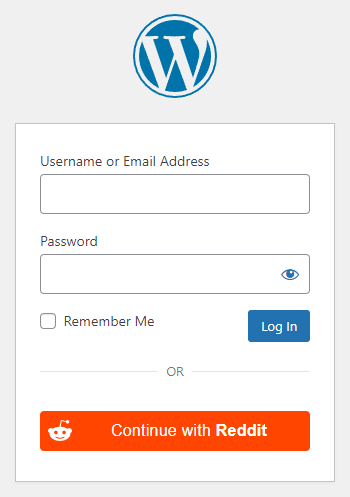
Settings

- Client ID: The Client ID of your Reddit app. You can find it at under your App’s “Settings” page.
- Client Secret: The Client Secret of your Reddit app. You can find it at under your App’s “Settings” page.
Other settings
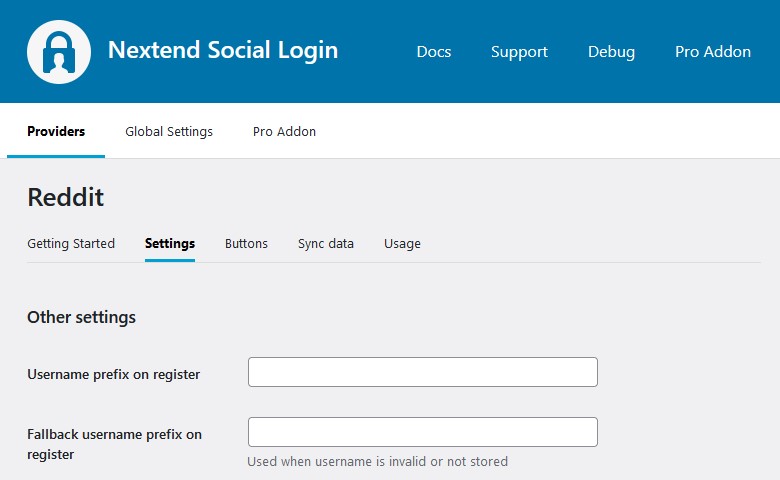
Username prefix on register
Whenever a new user registers with their Reddit account they can get a custom prefix so you can easily identify them.
Fallback username prefix on register
Whenever a new user registers with their Reddit account and we can not generate a valid username from the first name or last name, a random username will be generated. With this option they can get a custom prefix so you can easily identify them.
Sync data
By default Nextend Social Login stores the first name, last name, email, avatar url and access token if it is possible, however some additional information can also be retrieved and stored.
When an option is checked, that field will be stored in a meta key with the specified name.
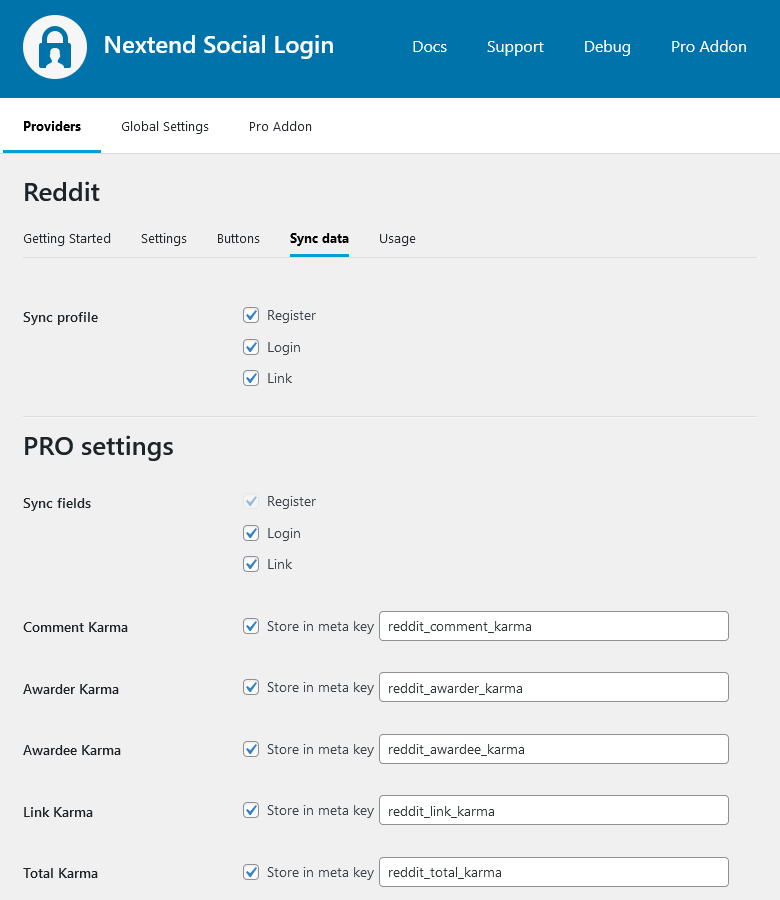
- Sync fields: Determine when the synchronization shall happen. Whenever a user registers, logs in, or links an existing WordPress account with a provider, their data will be retrieved and stored.
Design Guidelines
According to the Reddit Design Guidelines, the button needs to comply with the requirements. Our design matches this requirement. Avoid using custom designs, as that can get your Reddit login disabled.
Auth redirect URL changes
If the OAuth endpoint of the provider changes for any reason, such as:
- you change the URL of /wp-login.php
- you set up the OAuth redirect URI proxy page setting
- or the website URL itself changes ( e.g.: domain change )
then you must whitelist the new OAuth endpoint in the app you configured for Nextend Social Login. Below you can find a guide that helps you update it to the new one:
- Navigate to https://www.reddit.com/prefs/apps/
- Log in with your Reddit credentials if you are not logged in.
- Find your App with the Client ID that Nextend Social Login mentions at the backend. ( The Client ID is located just below the name and type of your Reddit App. )
- Click on the “edit” link on bottom left corner or your App.
- Replace your existing “redirect uri” with this URL that Nextend Social Login suggests at the backend!
- Click on the “update app” button
Common error messages
- You sent an invalid request — invalid client id.
You are missing or you have used the wrong Client ID. - You sent an invalid request — invalid redirect_uri parameter.
You are missing or you have used a wrong Redirect URI. - Error: Unauthorized – 401
You are missing or you have used the wrong Client Secret.